
Etsy
Connect your Etsy shop to MESA with Etsy V3 and configure steps to sync listings, receipts and inventory with your other apps.
Connection
Section titled “Connection”When you’re setting up your first workflow with Etsy, you’ll need to create a connection through MESA. Click on Connect with Etsy V3 to start the process.
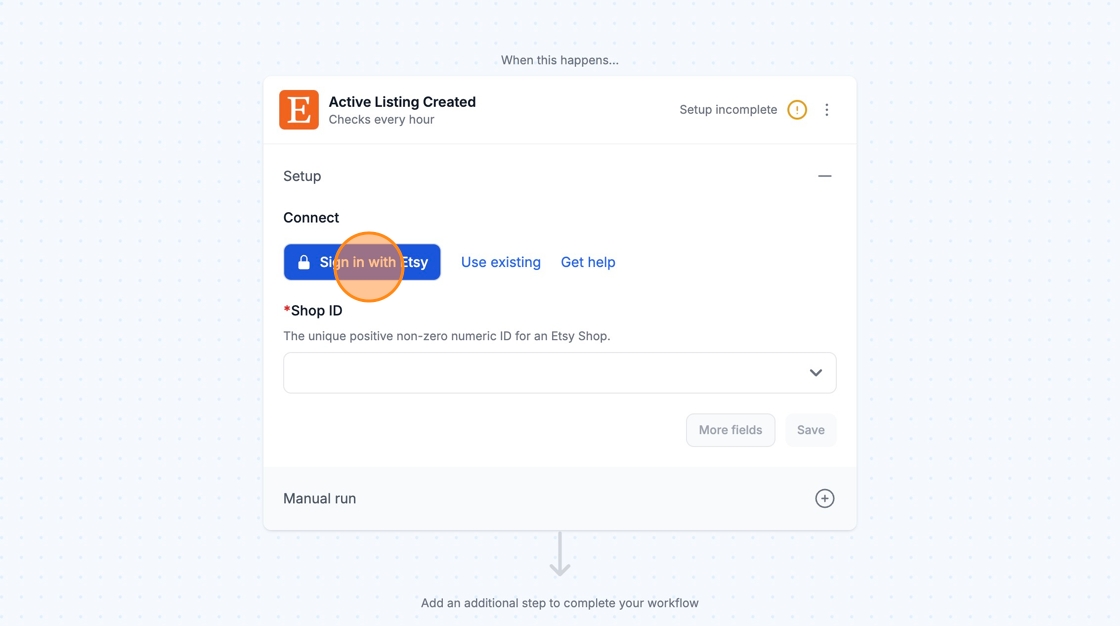
Once you are logged into your Etsy account, you can re-use the newly created connection and select it for your future workflows!
Configuration
Section titled “Configuration”
I don’t see my Etsy workflow activating when I update something in Etsy?
Section titled “I don’t see my Etsy workflow activating when I update something in Etsy?”MESA workflows that contain Etsy triggers (such as Receipt Created or Listing Created) will run on a polling system. Meaning, on every hour or whatever the selected frequency is selected in your MESA workflow, MESA will look for any recent activity in Etsy. As a result, you may not see immediate activity in your MESA workflow until the frequency hits.
In Etsy triggers, you can find the polling system under Configure. You can keep the default frequency or adjust it.
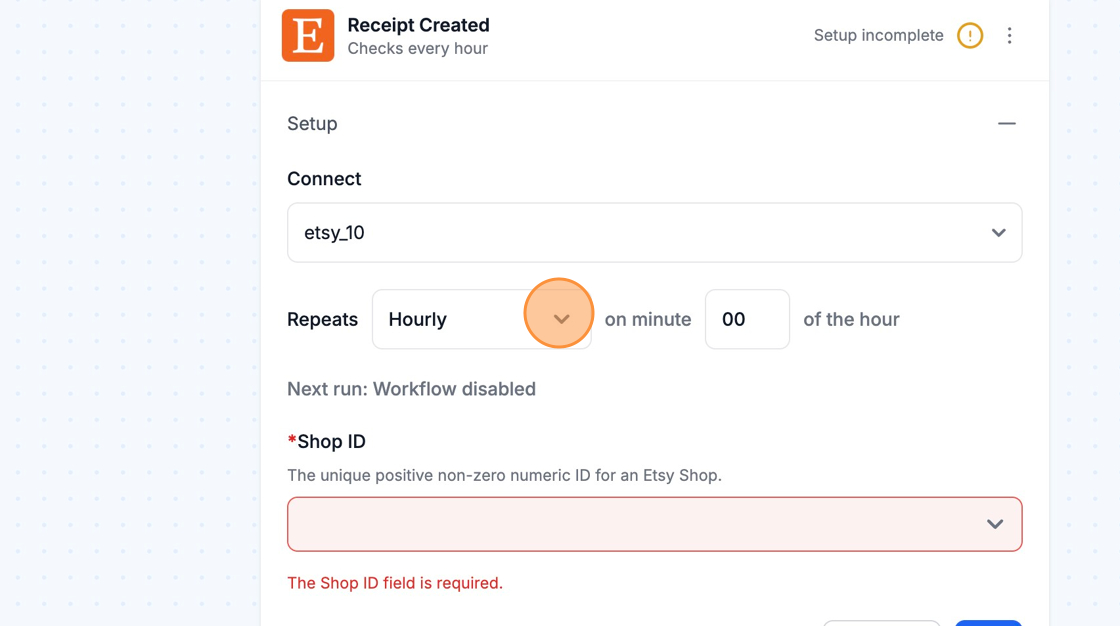
Once the frequency hits, MESA will process every single task that has accrued within the previous timeframe.
Technical Notes
Section titled “Technical Notes”You can no longer send Shipping updates (or access address information) without using Preferred Partners.
You can find more info on this here.