
Relay
Use the MESA Relay tool to trigger another workflow from your current one, breaking big automations into smaller reusable pieces that run on conditions.
Relay lets you trigger another workflow directly from your workflow, so you can break complex automations into smaller, reusable pieces or kick off a separate process based on conditions in your current workflow.
Configure
Section titled “Configure”Relay has a single action, Trigger Workflow. Add it as a step in your workflow, then select the workflow you want to trigger from the dropdown. This is the workflow that will run when this step executes.
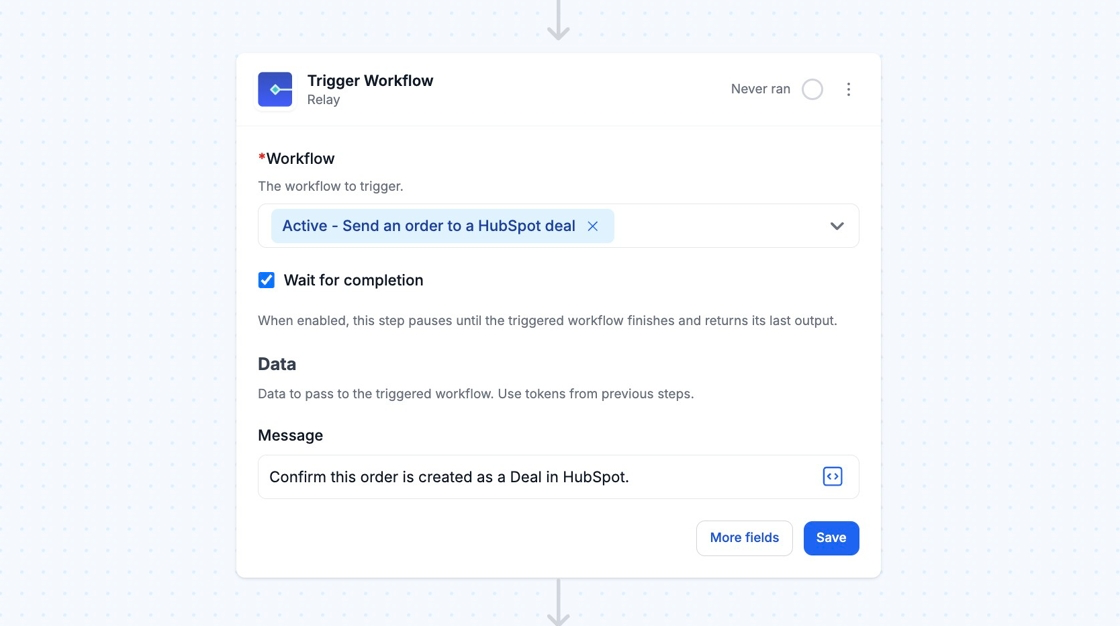
Wait for completion
Section titled “Wait for completion”Enable the Wait for completion setting from the More fields menu to pause the original workflow until the triggered workflow finishes and returns its last output.
Use Data fields to pass information into the triggered workflow. Add a key (like message in the example above) and set its value using plain text, variables from previous steps in the current workflow, or a combination of both.
The triggered workflow can then reference this data in its own steps.
Technical Notes
Section titled “Technical Notes”- Each time Relay runs, its record in the Activity includes a link (e.g. “Triggered: workflow_name”) that takes you directly to the run details for the triggered (child) workflow.