
RSS
Pull content from an RSS feed into MESA by pasting its URL into an RSS trigger or action, with technical notes on how polling triggers behave.
Configure
Section titled “Configure”To configure a RSS trigger or action, you simply need to copy and paste the URL of the RSS feed that you would like to extract the content from into the Feed URL field of the step.
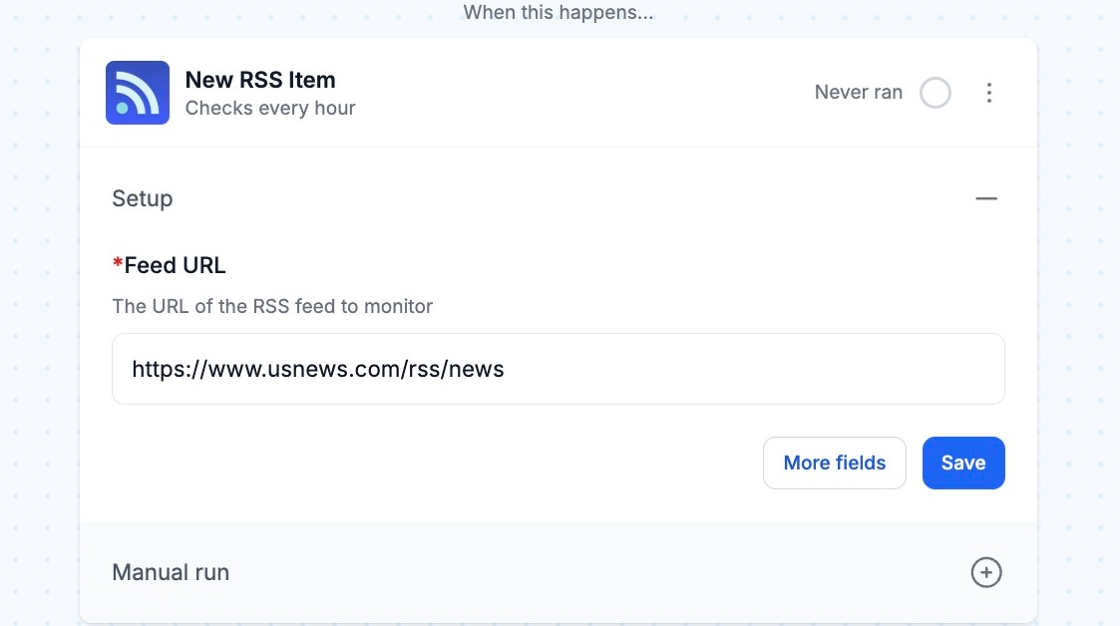
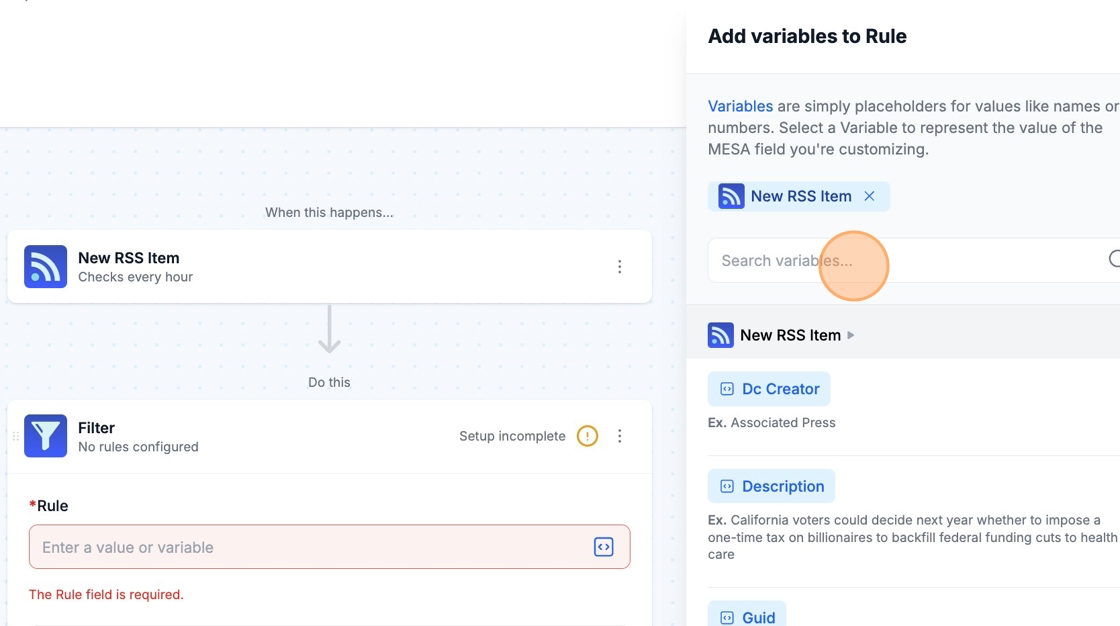
The content of the feed will be available as variables via the variable selector in future steps.
Technical Notes
Section titled “Technical Notes”- The RSS trigger is a polling trigger and will need to be configured according to a schedule that fits within your plan.