
How do I cancel my MESA subscription or 7-day trial?
Cancel your MESA subscription or 7-day trial from the Billing tab in My Account so you stop receiving new subscription charges, step by step.
Uninstall from your Billing Portal
Section titled “Uninstall from your Billing Portal”Follow the instructions below to cancel your MESA account subscription. This will cancel any subscription fees associated with it so that you won’t receive any new subscription charges.
-
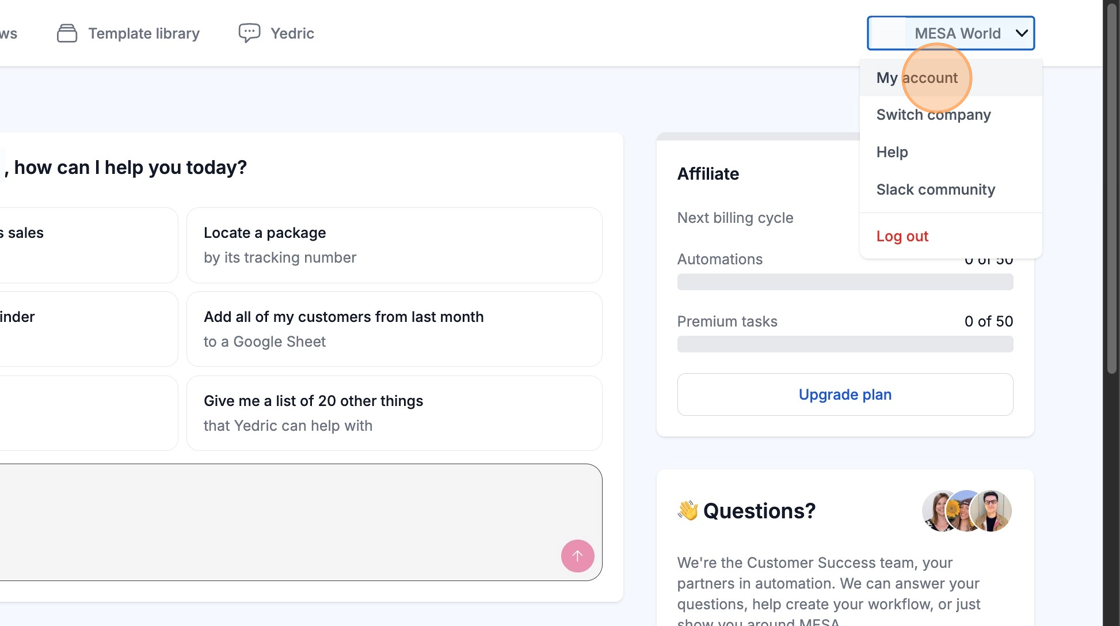
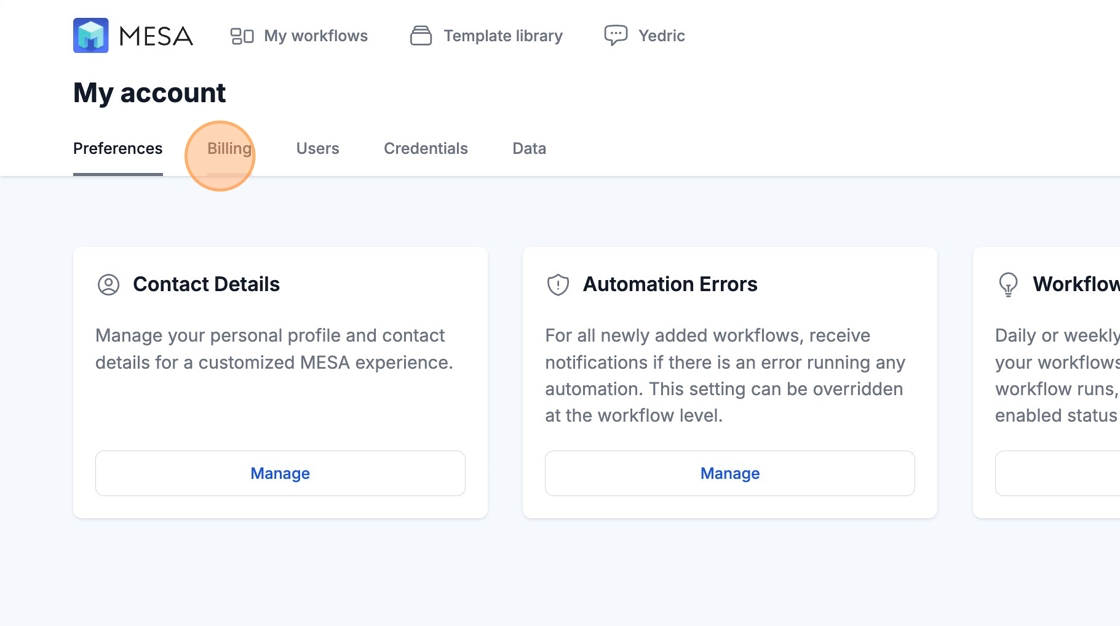
Starting from your MESA app dashboard, click My Account in the top-right corner, and then select the Billing tab.
-
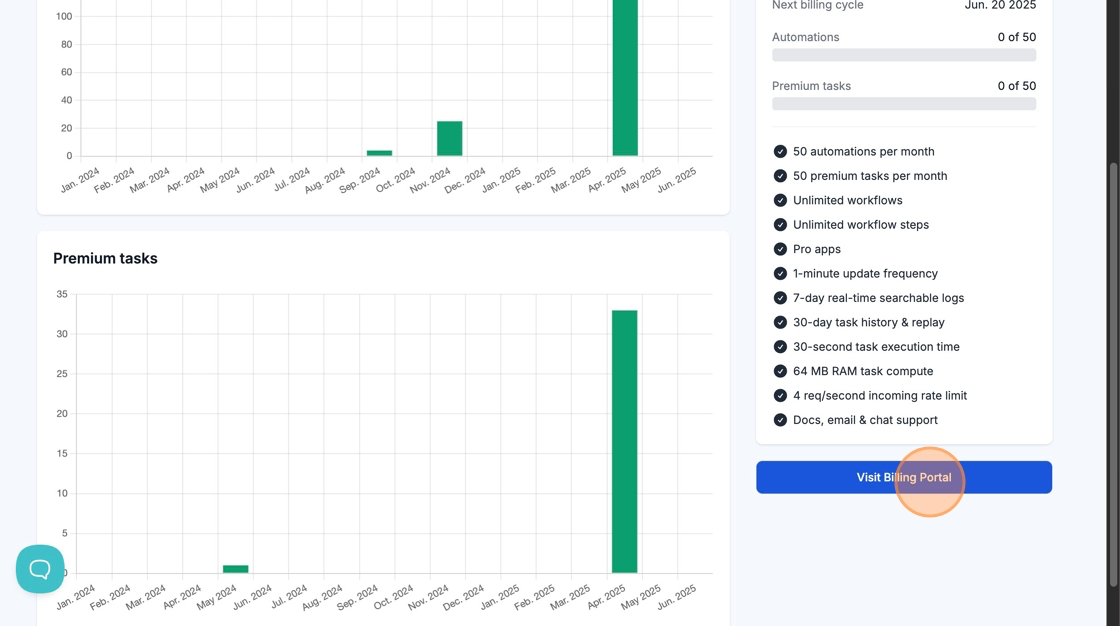
Scroll down and open the Billing Portal.
-
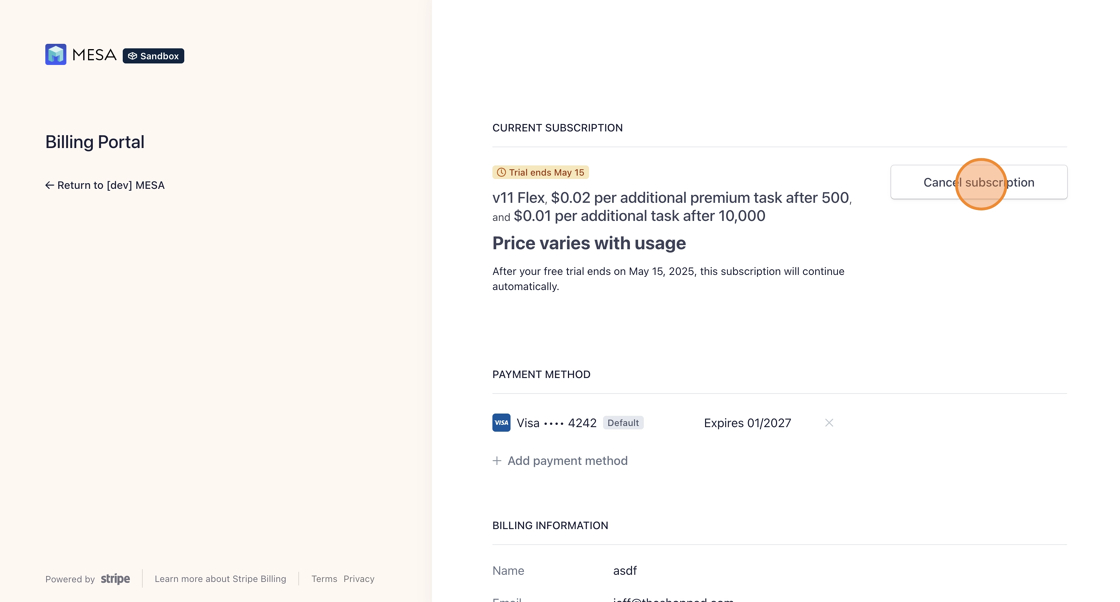
Select Cancel Subscription from the Billing Portal view.
Uninstall from Shopify
Section titled “Uninstall from Shopify”Follow the instructions below to uninstall MESA; this will also cancel any subscription fees associated with it so that you won’t receive any new subscription charges.
This will cancel your subscription or free 7-day trial.
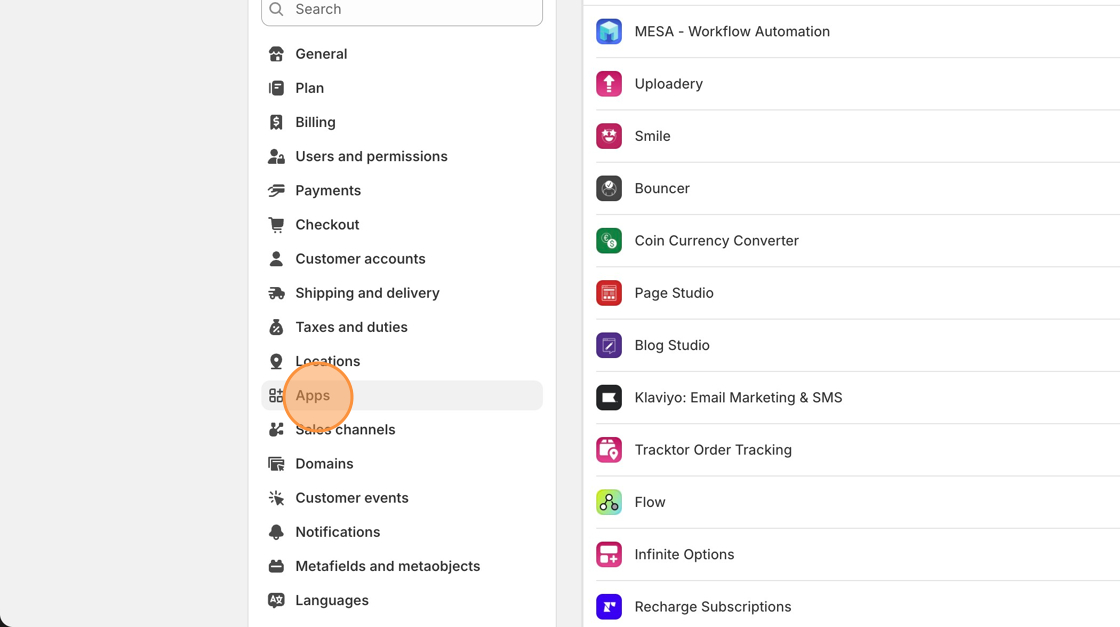
1. Starting from your Shopify admin dashboard, click on the Apps.
- Locate the Settings > Apps settings on the menu on the left-hand side of the page.
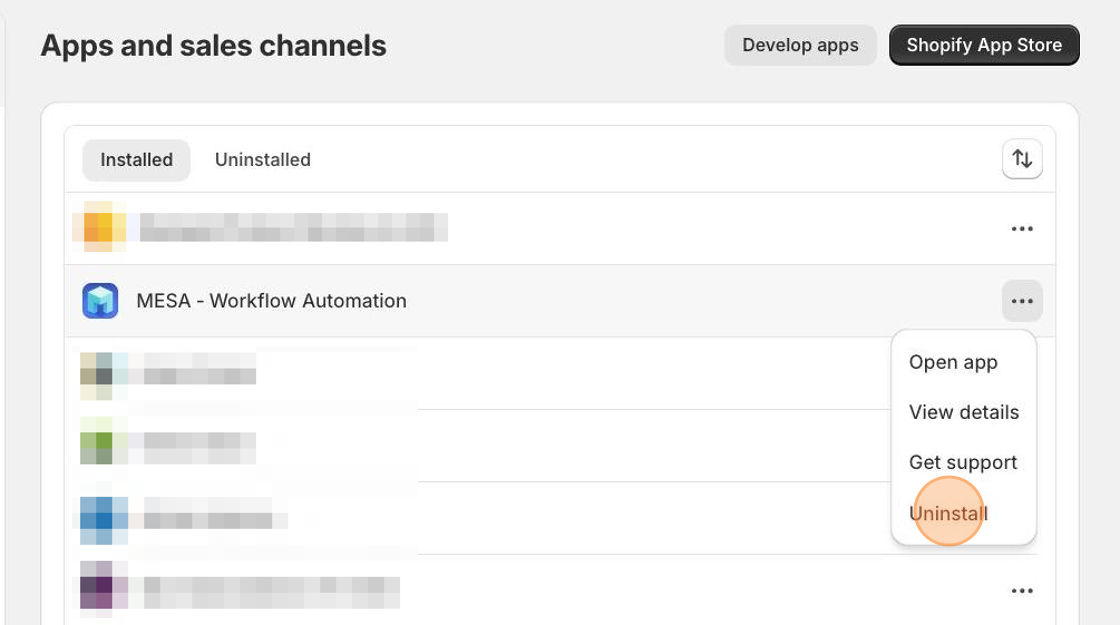
3. Locate the app you’d like to uninstall, click the three doc icon, then select the Uninstall button next to it.
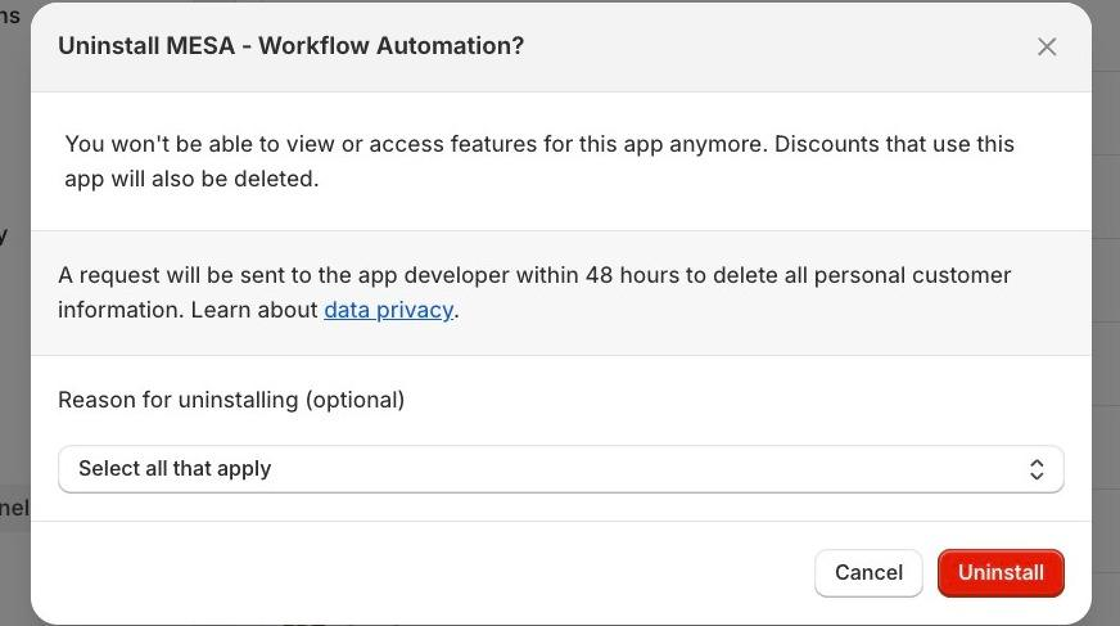
After clicking Uninstall, you may leave us any feedback as to why you’re uninstalling the app as well.
Canceling while on the Starter plan or a free trial
Section titled “Canceling while on the Starter plan or a free trial”If you cancel while on the Starter plan or a free trial there will not be an affect on subscription fees since there are no subscription fees incurred while on the Starter plan or free trial.
If your plan is automatically upgraded from the Starter plan due to surpassing the allotted usage, you will have the subscription fees associated with the new plan canceled upon uninstalling.