Replay
Replay a failed MESA task after fixing your workflow, and set steps to retry automatically so you can confirm the error is fully resolved.
Hooray, you fixed the error in your workflow. You are the Ghostbuster of workflow errors! We recommend replaying the failed step to ensure you vanquished the error completely.
It’s a quick walk-through, so let’s go!
Automatically Replay
Section titled “Automatically Replay”Steps can be configured to automatically retry when there is a failure. To configure this, open the step Settings and select Automatically replay under Failed step handling:
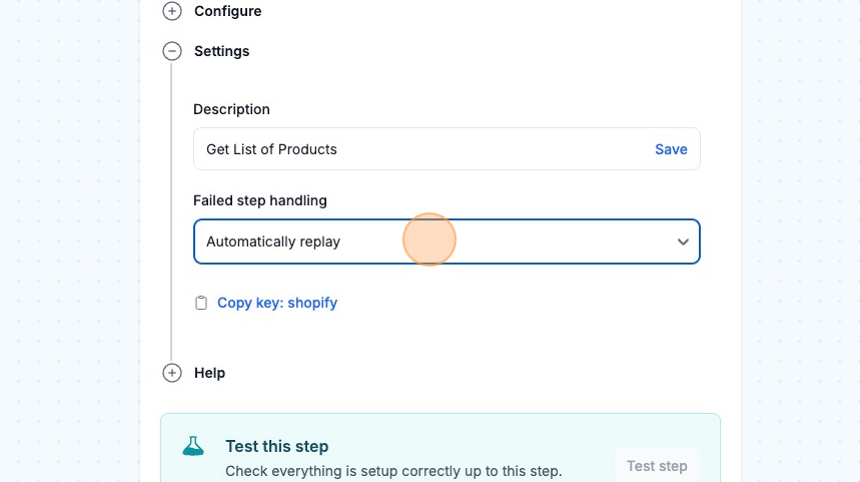
This step will now be automatically replayed up to five times with an increasing delay between each try:
- After the first try: 31 second delay
- Second try: 2 minute, 32 second delay
- Third try: 5 minute, 4 second delay
- Fourth try: 10 minute, 8 second delay
Replay in your Activity Tab
Section titled “Replay in your Activity Tab”In each workflow, you will find an Activity tab under the title. This is where the status of all your automations runs will be viewable. Go ahead and dive into that tab.
Activity for test and live workflows will appear here.
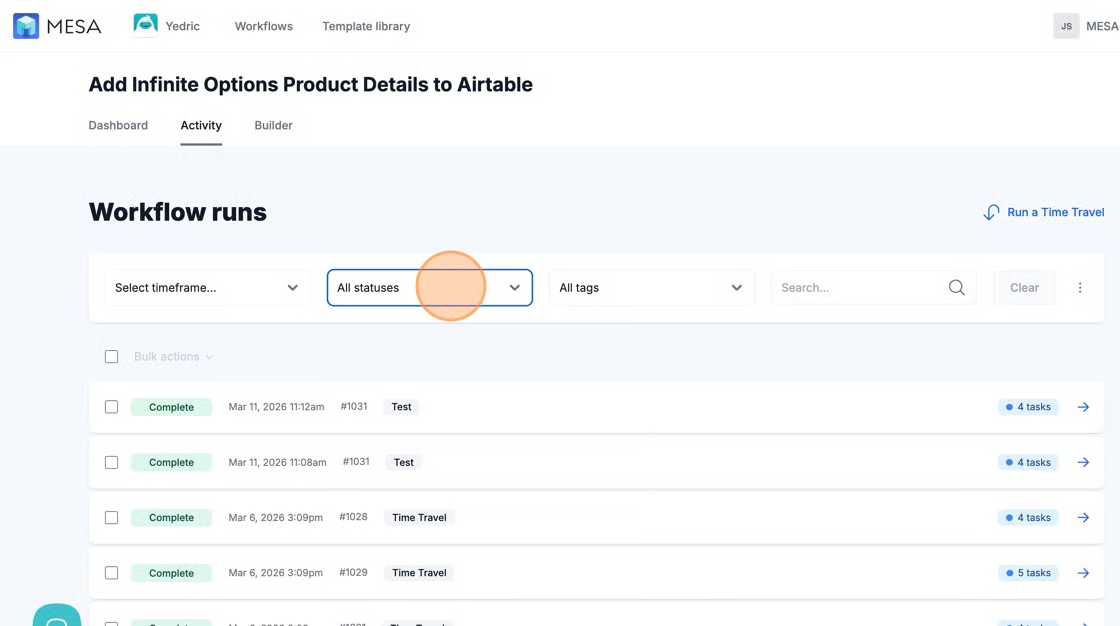
The Activity tab offers several ways to find and filter this view. For errors, you may select Status under Workflow runs and filter by Fail to find all automation runs with errors, or scroll down the Activity list to see where they came in within the history of your automation runs.
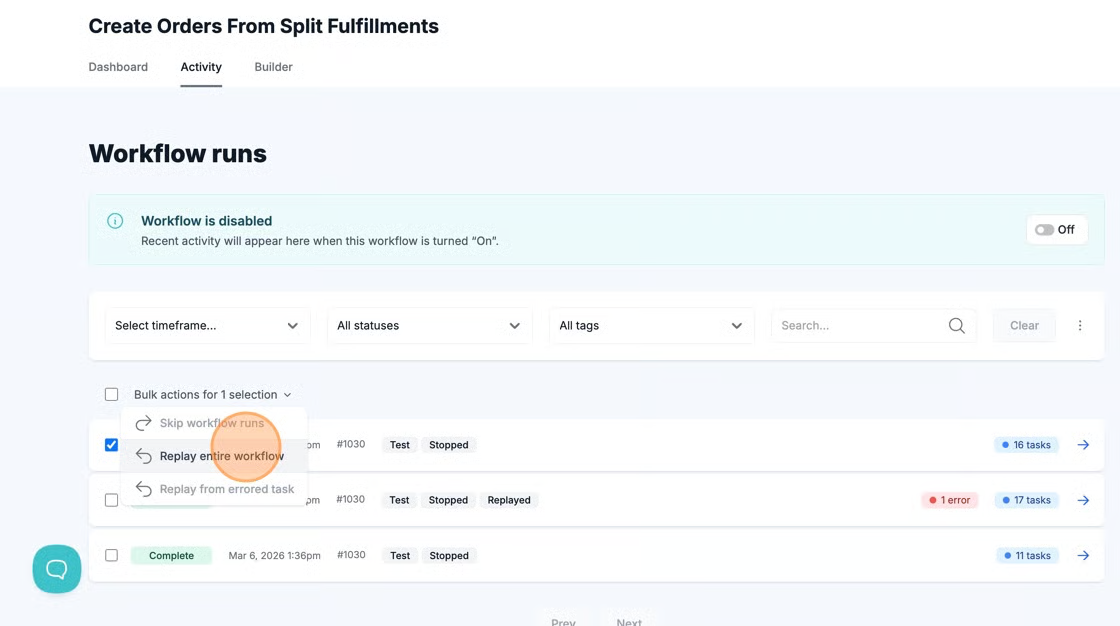
After you’ve updated the workflow and banished the error, click on the checkbox to the left of the run and select Replay the entire workflow after clicking the arrow next to where it says “Bulk actions for 1 selection.”